
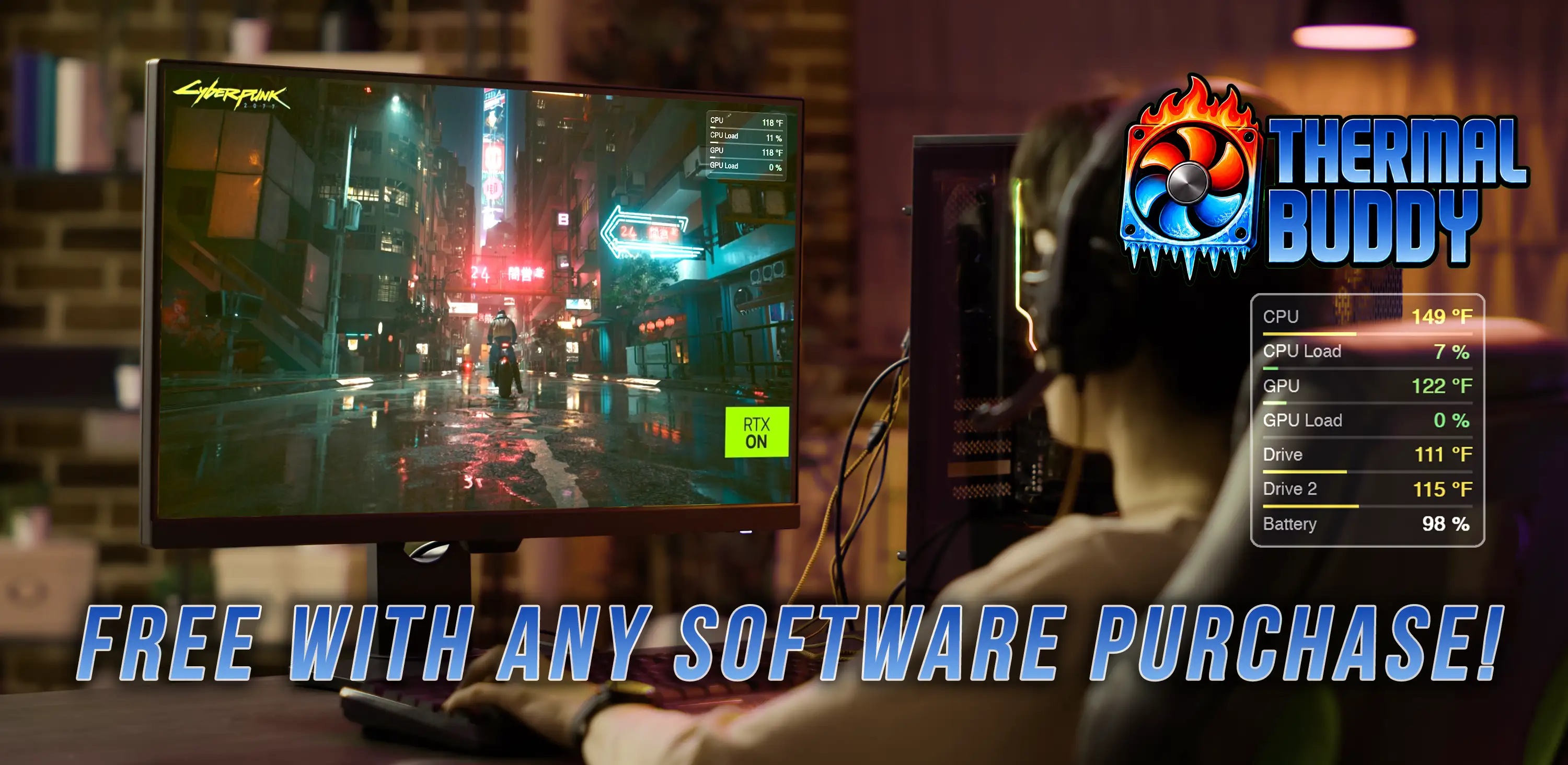
Keep an eye on your PC's temperatures.
Great for PC gamers, and those of us (like me) who use laptops on their actual laps!
A dead-simple desktop widget that shows your CPU, GPU, drive and fan readings at a glance - and shouts when something runs hot. Free with every Inferno Creative Studio product.

Everything you want, nothing you don't
It sits quietly on your desktop until something needs your attention.

All the readings
CPU package & per-core temps, GPU temp, SSD/NVMe drives, fan RPM, CPU/GPU load, and battery - only what your hardware actually exposes.

Color at a glance
Every value shades smoothly from green to red across its own safe range, so a number means something instantly.
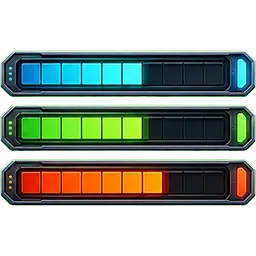
Range bars
An optional thin gauge under each value shows exactly where it sits in its operating range - not just "green," but how green.

Red-line alarm
If something gets dangerously hot, the widget jumps in front of your windows, flashes red, and (optionally) beeps.
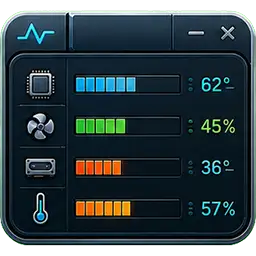
Out of the way
Borderless and semi-transparent. Drag it anywhere, tuck it in the system tray, and it remembers exactly where you left it. Hit Ctrl+Alt+T to show or hide it instantly.

Make it yours
°C or °F, font and size, opacity, backdrop on/off, and Normal, Compact or a slim Horizontal bar layout. Toggle any sensor on or off.
Made to sit on top of your game or rendering app
Pin it over a fullscreen game, fade it way back so it's barely there, and drag it anywhere on screen. Want zero distraction? Tuck it away entirely and let it pop to the front only when your CPU or GPU hits the red.

How to get it
Thermal Buddy is a free bonus with any Inferno Creative Studio product - Drive Browser, Mesh2Print, or SideBar Buddy.

Check your receipt
When you buy any Inferno Creative Studio product, your free Thermal Buddy code is included right in your receipt email.

Redeem it
Download below, then paste your code when Thermal Buddy first opens to unlock it.

Run it
One .exe - no installer. Double-click and go.
Free download · signed for Windows 10 / 11. Enter the code from your receipt the first time you run it.
Frequently asked questions
Is it really free?
Yes - completely. Thermal Buddy is our way of saying thanks for buying an Inferno Creative Studio product. There's no trial, no upsell, and no catch.
How do I get it?
When you purchase any Inferno Creative Studio product - Drive Browser, Mesh2Print, or SideBar Buddy - your free Thermal Buddy code is included right in your receipt email. Download Thermal Buddy, run it, and enter that code when asked.
Does it stay on top of my apps or games?
Yes. Thermal Buddy floats above your other windows - including borderless and fullscreen-windowed games (the modern default) - without stealing focus, so you can keep an eye on temps while you play. You can also fade it back so it's barely there, or drag it anywhere on screen. If a game uses old-style exclusive fullscreen and the overlay disappears, switch that game to Borderless in its display settings.
Can I auto-hide it?
Absolutely. Tuck it away in the system tray and set it to pop to the front only when your CPU or GPU hits the red - so it stays out of your way until it actually matters.
Does it need to be installed?
No installer at all. Thermal Buddy is a single .exe - just download it and
double-click to run.
Why does Windows ask for administrator permission when it starts?
That's expected. Windows only lets a program read your CPU, motherboard, and fan sensors with administrator rights, so Thermal Buddy asks for them once at launch - the "Do you want to allow this app to make changes?" prompt. It uses that access purely to read temperatures, loads, and fan speeds; it doesn't change your system settings or touch anything else on your PC. Thermal Buddy is also digitally signed, so Windows shows a verified publisher rather than an "unknown publisher" warning.
Can I install it on more than one of my computers?
Yes. Your code works on several of your machines, so you can run Thermal Buddy on your desktop and your laptop. (Each code is good for a limited number of installs, which keeps it fair - it's meant for you, not the whole internet.)
I lost my code - can it be resent?
No problem. Use the contact form below with the email you purchased under, and we'll get your code back to you.
Is it resource-intensive or heavy on the computer?
Not at all. Thermal Buddy is deliberately lightweight - it reads your sensors every couple of seconds and sips memory, so it won't cost you frames in a game or slow anything down.
Can it show every CPU core separately?
Yes. Beyond the overall CPU temperature, Thermal Buddy can list each individual core on its own line, so you can watch them rise and fall one by one. Just switch on "Per-core temperatures" in Settings. It's off by default - a modern CPU can have a lot of cores, which makes the widget tall - but flip it on any time you want the full breakdown.
Why don't I see a fan speed (or some other reading)?
Thermal Buddy only shows what your hardware actually reports - it can't invent a reading that isn't there. Fan speed is the most common one to go missing: many laptops (and a few desktops) run their fans through an embedded controller that Windows can't read an RPM from, so no fan row appears - that's normal and nothing is wrong. Desktops with a standard motherboard sensor chip usually show fan RPM automatically. The same idea applies to any sensor your particular PC doesn't expose.
Contact us
Questions, feedback, or trouble with your code? Drop us a line.
Get Thermal Buddy free with any of these
Buy any Inferno Creative Studio product and your free Thermal Buddy code arrives in your receipt email.
Drive Browser
Instantly search all your unplugged external drives, discs & tapes - even when they're offline.
Visit drivebrowser.com →
Mesh2Print
Prep any 3D mesh for printing in seconds - clean up, repair holes, and export print-ready STLs.
Visit mesh2print.com →
SideBar Buddy
A customizable sidebar of quick links and shortcuts that snaps neatly beside your open windows.
Visit sidebarbuddy.com →